
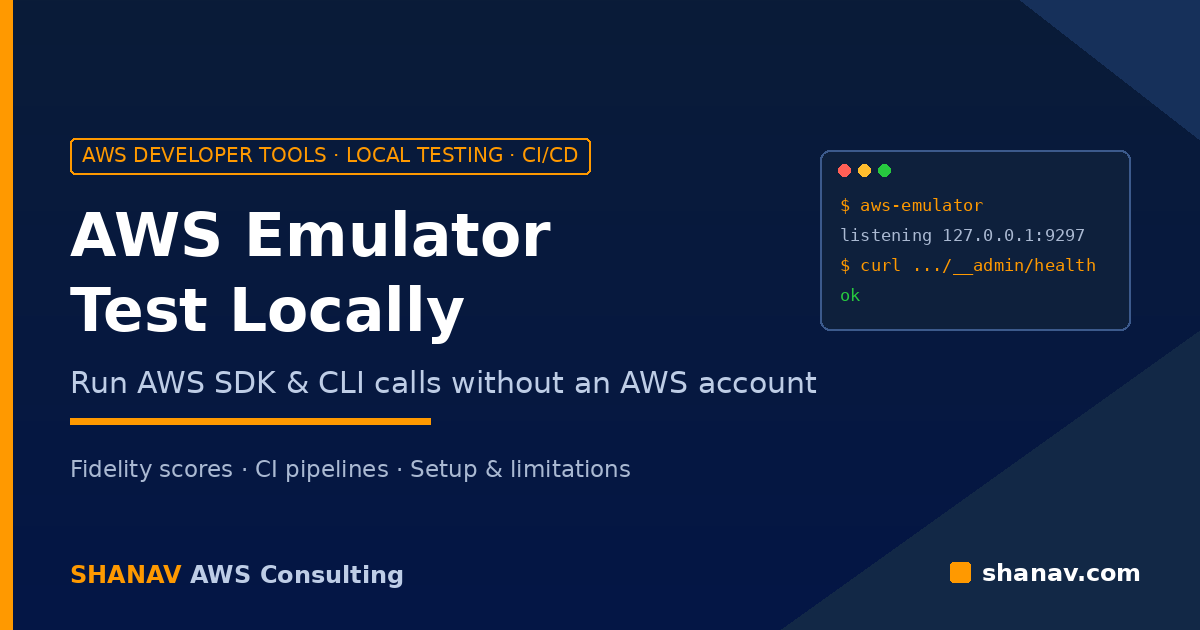
On 11 November 2026, AWS announced that AWS Emulator is now available for building and testing AWS applications locally. Your existing AWS SDK and CLI calls go to a program on your laptop or CI runner instead of AWS, with no deployment or AWS account required.
For teams tired of slow test stacks, shared dev accounts and brittle SDK mocks, this is one of the most practical pre-re:Invent launches. This guide covers what AWS Emulator is, how to set it up, and where you still need real AWS.
What Is AWS Emulator?
According to the AWS Emulator User Guide, AWS Emulator is a local emulator of the AWS APIs. You use it to test software without calling AWS, on your own machine, on a development server or in continuous integration.
The key points from the launch announcement and documentation:
- Same calls, same results. For the operations it supports, the emulator returns the same result as AWS for valid calls and the same errors for invalid ones. Operations it does not support yet return
501 Not Implemented, so a test that depends on them fails immediately instead of passing silently. - Generated from AWS API models. Services are generated from the API models AWS publishes, the same models behind the AWS SDKs. When AWS adds a service or API, it shows up in the emulator and its behaviour is filled in release by release.
- In-memory and isolated. State lives in memory until you stop the emulator. Each copy you start gets its own port, keys and state, so parallel test suites, CI jobs and coding agents never see each other’s resources.
- No service fee. AWS Emulator has no additional service fee; you pay only for AWS resources when you deploy to AWS. The source code is published under the CC0 1.0 Universal public domain dedication in the aws/aws-emulator GitHub repository.
Why It Matters: Emulator vs SDK Mocks
Most teams either mock the SDK or deploy to a real account. The AWS Emulator product page describes the difference clearly: a mock returns whatever you tell it to, while the emulator runs the API itself, including validation, errors and state that carries across calls.
The documentation gives a simple example. DynamoDB table names must be at least three characters long. If your code tries to create a table named ab, the emulator rejects the CreateTable call with the same ValidationException that AWS returns.
Understanding Fidelity Before You Rely on It
The most important page to read before adopting the emulator is Fidelity in AWS Emulator. Fidelity is how closely the emulator matches AWS, measured with published fidelity tests: short SDK programs that assert how real AWS behaves, including the exact error for invalid calls.
Each service gets a fidelity score, which is simply the number of fidelity tests the emulator passes out of the total for that service. Scores are published with every release on the AWS Emulator releases page.
Today, the emulator matches AWS most closely for control plane APIs (create, describe, update, delete and list resources). Fidelity for data plane APIs, and support for infrastructure as code tools such as AWS CloudFormation, Terraform and the AWS CDK, varies by service.
How to Get Started With AWS Emulator
The getting started guide offers four paths:
- AI coding agent: install the
aws-emulatorskill and ask your agent to install, start and connect the emulator. This needs AWS CLI version 2.35.0 or later. - Linux package: install from an RPM or Debian package (x86_64 or aarch64) and run it as a local process.
- Docker: build an image from the provided Dockerfile. This is the path for macOS and Windows.
- Embedded mode: run the emulator inside your Rust test process for per-test isolated state.
Pointing your SDK at the emulator
The Linux and Docker paths listen for HTTPS on 127.0.0.1:9297. On start-up, the emulator generates a fresh access key pair, an SDK config file and a certificate under ~/.aws/emulator/9297/. The SDK configuration guide lists the environment variables to set on macOS and Linux:
export AWS_ENDPOINT_URL=https://127.0.0.1:9297
export AWS_SHARED_CREDENTIALS_FILE=~/.aws/emulator/9297/emulator_credentials
export AWS_CONFIG_FILE=~/.aws/emulator/9297/config
export AWS_CA_BUNDLE=~/.aws/emulator/9297/ca.pem
export AWS_EC2_METADATA_DISABLED=true
export AWS_DISABLE_HOST_PREFIX_INJECTION=true
export AWS_REGION=us-east-1
export AWS_DEFAULT_REGION=us-east-1
unset AWS_ACCESS_KEY_ID AWS_SECRET_ACCESS_KEY AWS_SESSION_TOKEN AWS_PROFILE
The unset line matters. Environment variables take precedence over the credentials file, so if real credentials are still set, your SDK signs requests with them and the emulator rejects those requests.
Before running tests, check readiness with the health endpoint, which returns HTTP 200 with the body ok:
curl --cacert ~/.aws/emulator/9297/ca.pem https://127.0.0.1:9297/__admin/healthUsing it in a CI/CD pipeline
AWS lists CI/CD integration testing, with no AWS account or resources, as a core use case. A practical pattern:
- Start one emulator per job (or per parallel test shard) so state never leaks between runs.
- Wait on the health check before the test step begins.
- Run your unit and integration tests against the emulator on every commit.
- Keep a smaller suite of end-to-end and security tests that runs against a real AWS account before production deployment.
If you want help wiring this into your pipelines, our CI/CD services team builds automated pipelines on AWS for exactly this kind of workflow.
Check Whether Your Project Will Work
AWS provides a method for checking whether your project works with AWS Emulator. The easiest route is asking an AI coding agent with the aws-emulator skill, “Will my app in this repo work on AWS Emulator?”; it compares the operations your project uses with the fidelity tests and scores.
To do it manually: list the AWS operations your workflow calls, find their fidelity tests in manifest.jsonl in the aws-emulator-evaluation-suite repository, and check the fidelity scores for the release you use. For operations that no test covers, run your own tests against both the emulator and AWS and compare the results.
Limitations to Know
- Not for security testing. The security guide is explicit: do not use the emulator to test IAM policies, resource-based policies such as bucket policies, AWS KMS key policies, or cross-account and cross-Region access. The emulator never denies a request signed with its own key.
- Not for production. It offers no durability, availability or security guarantees.
- One Region per emulator. Use one Region for all requests; to test several Regions, run one emulator per Region.
- No persistence. State is gone when you stop the emulator, so every run starts clean.
- Telemetry is on by default. According to the README, it never includes your requests, responses, code or credentials, and you can turn it off with
--telemetry offorEMULATOR_TELEMETRY=off.
Frequently Asked Questions
Is AWS Emulator free?
Yes. AWS Emulator has no additional service fee. You pay only for the AWS resources you use when you deploy to AWS.
Do I need an AWS account to use AWS Emulator?
No. Requests go to the emulator, not to AWS, and it generates its own credentials each time it starts.
Does AWS Emulator work with CloudFormation, Terraform or the AWS CDK?
Support for infrastructure as code tools varies by service. Check the fidelity scores for the services your templates use before relying on it.
Can I run several emulators at the same time?
Yes. Each copy gets its own port, keys and in-memory state, so you can run one per test suite, branch or coding agent without conflicts.
Conclusion
AWS Emulator gives teams a fast, free way to test AWS code locally and in CI. Start with control plane-heavy workflows, check fidelity scores for your services, and keep security and end-to-end tests on real AWS.
If you want to cut test cycle times and cloud spend on dev environments, our cloud DevOps services team can help you design a testing strategy around it. Talk to the Shanav team to get started.