
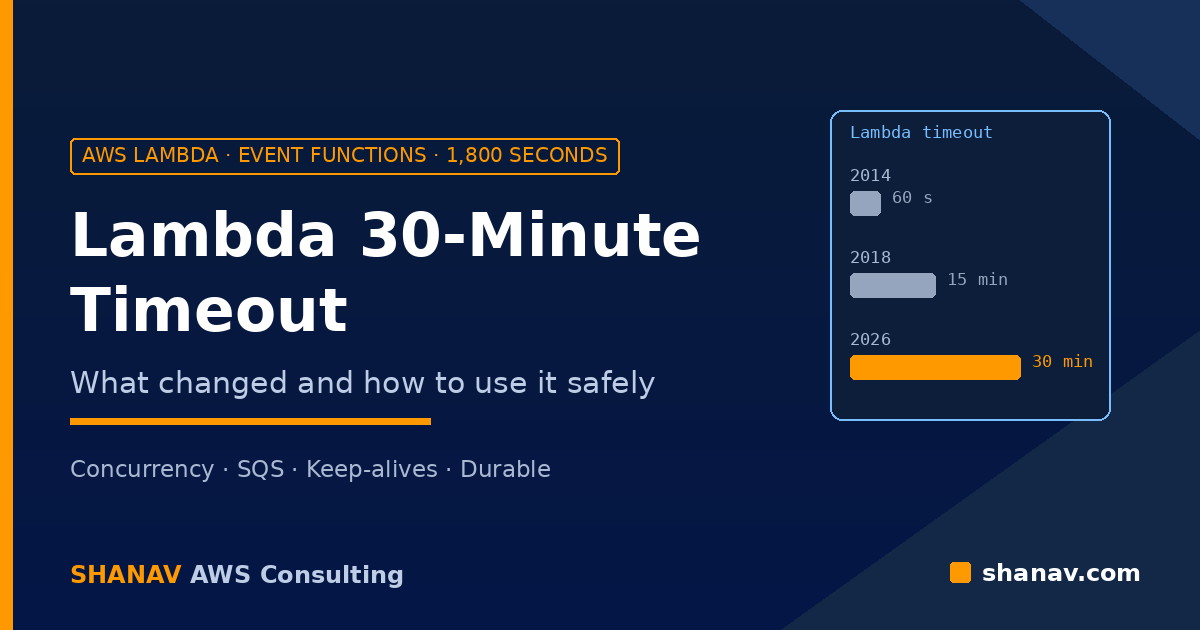
For eight years, 15 minutes was the hard ceiling on an AWS Lambda function. On 19 November 2026, AWS doubled that limit: Event Functions that run on demand can now be configured with a timeout of up to 30 minutes (1,800 seconds) for synchronous, asynchronous and event source mapping (ESM) invocations.
That sounds like a single number changing, but it removes a lot of architectural workarounds. Jobs that used to be split into chunks, pushed to AWS Fargate or wrapped in Step Functions just to stay under 15 minutes can often run as one function again. This guide explains exactly what changed, where the new Lambda 30-minute timeout applies (and where it doesn’t), and the practical checks you should run before you raise the value in production.
What Changed With the Lambda 30-Minute Timeout
According to the AWS Compute Blog announcement, Lambda launched in 2014 with a 60-second timeout, moved to 5 minutes in 2015 and to 15 minutes in 2018. The new limit applies to Event Functions, the classic Lambda form factor that processes events from more than 200 AWS event sources.
The key facts from AWS:
- On-demand Event Functions: up to 30 minutes for synchronous, asynchronous and ESM invocations.
- Lambda Managed Instances: synchronous invocations also go to 30 minutes, while asynchronous and ESM invocations keep the 90-minute (5,400-second) timeout introduced in September 2026.
- Durable functions and Step Functions: the new timeout also applies when you use Lambda durable functions or invoke functions from AWS Step Functions Standard workflows.
- Availability and price: all commercial AWS Regions for on-demand functions, with standard Lambda pricing. You still pay for duration, so a 30-minute run costs twice a 15-minute run at the same memory size.
The Init phase keeps its existing limits: 10 seconds for on-demand functions and 15 minutes on Lambda Managed Instances. Provisioned concurrency and SnapStart keep their 15-minute initialization limit. Values above the maximum are rejected with a validation error.
Which Workloads Benefit
AWS calls out agentic AI requests that chain several model and tool calls, media transcoding and file conversion of large inputs, memory-heavy financial calculations such as Monte Carlo simulations and portfolio risk analysis, multi-source report generation, and ETL steps triggered by Amazon SQS or Amazon S3 events. The common thread is spiky traffic that doesn’t justify always-on capacity but occasionally needs more than 15 minutes of continuous compute.
How to Configure a 30-Minute Lambda Timeout
The Lambda Developer Guide confirms the default timeout is still 3 seconds and can now be raised in 1-second increments up to 1,800 seconds. With the AWS CLI:
aws lambda update-function-configuration \
  --function-name my-function \
  --timeout 1800
In an AWS SAM template, set the Timeout property:
MyFunction:
  Type: AWS::Serverless::Function
  Properties:
    Runtime: python3.14
    Handler: app.handler
    Timeout: 1800
    MemorySize: 2048
In the console, go to Configuration > General configuration > Edit and set Timeout to any value up to 1,800 seconds. CloudFormation and the AWS CDK support the same setting. The new value applies to invocations that start after the update, and AWS notes that event source mappings can take a few minutes to pick up the change.
Where the New Limit Does Not Apply
Before you raise every timeout, check these exceptions from the Compute Blog post:
- Amazon MQ and Amazon DocumentDB ESMs stay limited to 14 minutes.
- Kafka ESMs created before 19 November 2026 that don’t use provisioned mode are also capped at 14 minutes. Create a new mapping or enable provisioned mode to get 30 minutes, and keep the function at 840 seconds or less until you do.
- Web Functions remain at 15 minutes, as shown in the AWS comparison table.
- Synchronous callers apply their own timeout. If another AWS service or your client gives up first, the function keeps running but nobody receives the result.
Practical Checklist Before You Go to 30 Minutes
1. Plan for Double the Concurrency
Concurrency is requests per second multiplied by average duration. AWS gives a simple example: 1 request per second at 30 minutes each needs 1,800 concurrent executions. Check your account concurrency quota and any reserved concurrency before increasing the timeout, especially for functions that share a quota with latency-sensitive APIs.
2. Fix SQS Visibility Timeouts First
For SQS triggers, AWS recommends a queue visibility timeout of at least six times the function timeout, so at least 3 hours for a 30-minute function. The SQS event source documentation explains why: messages in a batch stay hidden only for the visibility timeout, and a short value means they reappear and get processed twice. Lambda validates this when you create the mapping, but not when you change settings later.
3. Watch Streams and Use Partial Batch Responses
Kinesis Data Streams and DynamoDB Streams process one batch per shard at a time by default, so longer invocations slow each shard. Monitor IteratorAge, raise the parallelization factor if records back up, and enable partial batch failure reporting so a failure late in a long batch doesn’t force every record to be retried.
4. Keep Network Connections Alive
A NAT gateway drops idle connections after 350 seconds, so long calls through a NAT need TCP keep-alives. Also confirm that idle timeouts on Amazon RDS, Amazon ElastiCache and external APIs cover the full run, set client read and socket timeouts longer than the function timeout (including the AWS SDK client that calls Invoke), and use a short DNS TTL. AWS specifically mentions the JVM DNS cache, suggesting a value such as 5 seconds.
5. Refresh Credentials and Make Work Idempotent
Temporary credentials or tokens acquired inside the function must stay valid for the whole run, or be refreshed in the background. Lambda doesn’t guarantee exactly-once processing, and longer runs widen the window for retries and duplicates, so use Powertools for AWS Lambda idempotency for payments and database writes.
30-Minute Timeout vs Durable Functions
The two features are complementary. The function timeout limits each invocation; a durable execution can run for up to one year when invoked asynchronously, checkpointing with step() and wait(). AWS’s guidance is simple: for idempotent jobs such as an SQS-triggered ETL step, the longer timeout alone may be enough. For expensive work, combine both. A 25-minute inference job that fails at minute 22 restarts from zero without checkpoints, but resumes from its last checkpoint with durable functions.
If you are designing event-driven pipelines or moving batch jobs off containers, our serverless solutions and automation team can help you decide where the new limit fits, and our cloud DevOps services can roll the changes out safely through infrastructure as code.
FAQ
What is the maximum AWS Lambda timeout now?
For on-demand Event Functions it is 30 minutes (1,800 seconds) for all invocation types. On Lambda Managed Instances, asynchronous and ESM invocations can run for up to 90 minutes (5,400 seconds), and synchronous ones for 30 minutes.
Does the 30-minute timeout cost extra?
No. Standard Lambda pricing applies. You pay for the duration your function actually runs, so longer invocations cost proportionally more.
Do I need to redeploy my function?
No code change is required. Update the timeout in the console, CLI, SDK, CloudFormation, CDK or SAM. The runtime, handler, IAM role and VPC configuration stay the same.
Should I still use Step Functions or durable functions?
Yes, for work that needs checkpoints, waits, human approvals or runs longer than 30 minutes. The new limit reduces the need to split jobs, but it doesn’t replace orchestration.
Conclusion
The Lambda 30-minute timeout removes one of serverless computing’s oldest constraints for AI agents, media processing and heavy batch jobs. The safe path is to raise it function by function: check concurrency, SQS visibility timeouts, network keep-alives and idempotency first, then deploy. The AWS Weekly Roundup covers the other Lambda launches from the same week. If you’d like a review of which of your workloads can now move to Lambda, get in touch with the Shanav team.