
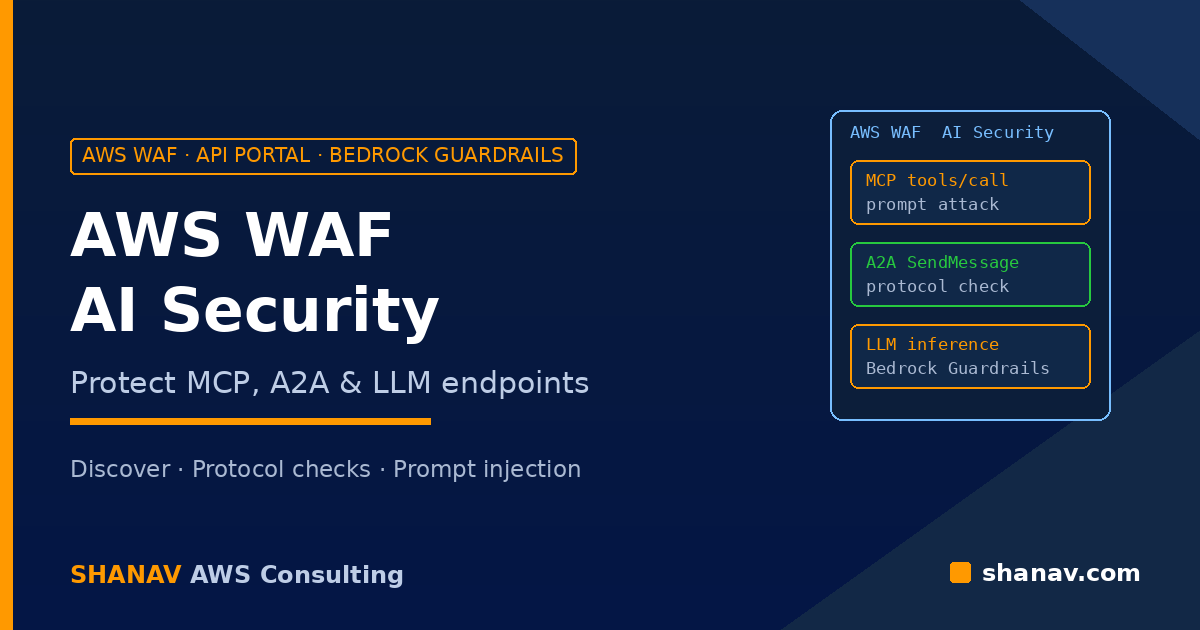
On 23 November 2026, AWS made automated AI endpoint discovery and protection generally available. The launch pairs a new API Portal in Amazon API Gateway, which finds LLM, Model Context Protocol (MCP) and Agent2Agent (A2A) endpoints across your AWS Organization, with a new AWS WAF AI Security managed rule group that protects them using Amazon Bedrock Guardrails.
If your teams have shipped chatbots, MCP servers or agent-to-agent services this year, this matters. A classic WAF rule looks for exploit signatures, but a prompt injection is usually a perfectly well-formed request. This guide explains what AWS WAF AI Security does, how its two layers work, what it blocks by default, and how to roll it out safely.
Why AI Endpoints Need Their Own Protection
The AWS Security Blog launch post describes a new kind of API caller: AI agents acting on a person’s behalf, with human intent but machine behaviour. It also points out that a new MCP server or LLM endpoint can be stood up in minutes and placed behind a load balancer or CloudFront distribution without ever passing through your API gateway, so it never reaches the API registry or the security review.
The AWS WAF developer guide puts the core problem plainly: text in a prompt, in a tool’s arguments, or in a tool’s result is content a model reads and might act on. A signature rule won’t match a polite request that tells the model to ignore its instructions and reveal its system prompt.
Step One: Discover Shadow AI Endpoints with API Portal
API Portal builds an inventory of your APIs from both service configuration and live traffic across CloudFront, Application Load Balancers and API Gateway. AWS says there are no agents to deploy, no logs to forward and no traffic to reroute. You can enable discovery for a single account or for your whole organization in AWS Organizations, and exclude resources you don’t want listed.
API Portal flags which discovered endpoints are AI endpoints (LLM inference, MCP or A2A). An undocumented, public-facing MCP server shows up as a shadow API, which is exactly the hackathon-era endpoint most teams forget about. According to the announcement, API Portal is available in 32 AWS Regions.
Step Two: Protect Them with the AI Security Rule Group
The rule group is called AWSManagedRulesAISecurityRuleSet. It is supported on protection packs (web ACLs) for Amazon CloudFront distributions, Application Load Balancers and Amazon API Gateway REST APIs, and it works in two layers.
Layer 1: Protocol Recognition and Compliance
This layer runs inside AWS WAF itself. It identifies whether a request is an LLM inference call, an MCP message or an A2A message. Per the documentation:
- MCP is recognized at protocol versions 2025-06-18, 2025-11-25 and 2026-07-28. Older versions such as 2024-11-05 aren’t recognized.
- A2A is recognized at version 1.0 only.
- LLM traffic is recognized for OpenAI, Anthropic, Google Gemini and Ollama operations. Amazon Bedrock’s own runtime APIs, such as Converse and InvokeModel, are not recognized.
Recognized MCP and A2A messages are checked against their protocol at a Baseline level (malformed messages) and a Strict level (permitted but uncommon constructs).
Layer 2: Content Assessment with Bedrock Guardrails
When content assessment is on, AWS WAF extracts the readable text and calls the Amazon Bedrock InvokeGuardrailChecks operation to look for prompt attacks, harmful content and sensitive information. Only some messages are assessed: MCP tools/call messages, A2A SendMessage and SendStreamingMessage operations, and most recognized LLM operations.
One detail stands out. Prompt attack is assessed on MCP tool results and A2A replies, not just on requests. That covers indirect prompt injection, where a tool returns text that instructs the model. Sensitive information is checked only on responses, and the content filter only on requests.
Importantly, the configuration guide explains that you don’t create a guardrail resource. AWS WAF chooses the checks and categories based on protocol and direction, and you can’t reweight them. The only thing you supply is an IAM role that allows InvokeGuardrailChecks.
What Gets Blocked by Default
Bedrock returns a score per category, which AWS WAF maps to fixed tiers: High (0.8 and above), Medium (0.6 to below 0.8) and Low (above 0, below 0.6). Out of the box, only four rules block:
Compliance_BaselineMCPandCompliance_BaselineA2Afor malformed protocol messages.Request_GuardrailsPromptAttackHighSeverityandResponse_GuardrailsPromptAttackHighSeverityfor high-severity prompt attacks.
Everything else counts and labels. A failed Bedrock call also doesn’t block by default: the message is labeled guardrails:call_failed and passes through. If you’d rather fail closed, override the Guardrails_CallFailed rule to Block.
How to Roll Out AWS WAF AI Security
- Turn on discovery first. Enable API Portal for your organization and review which AI endpoints exist and which are unprotected.
- Check Region support. AI Security is available in US East (N. Virginia), US East (Ohio), US West (Oregon), Europe (London), Europe (Stockholm), Asia Pacific (Tokyo) and Asia Pacific (Sydney). For CloudFront, AWS notes that content may be assessed in more than one of these Regions, which matters for data residency.
- Start with
Disable. TheBedrockGuardrailssetting takes exactly one ofDisable,ProtectRequestOnlyorProtectRequestAndResponse.Disablestill runs protocol compliance with no Bedrock calls and no IAM role. - Create the IAM role. It must be in the same account and partition as the web ACL, and whoever updates the web ACL needs
iam:PassRoleon it. - Run in Count mode. AWS states that Guardrails assessments are probabilistic and recommends overriding blocking rules to Count until you’ve confirmed results on your own traffic.
- Scope it down. Use a scope-down statement so only agentic paths (for example
/mcpor your chat route) are evaluated. That keeps WAF fees and Bedrock checks focused. - Decide on responses carefully. With
ProtectRequestAndResponse, an internal error in response inspection returns an error to the client, and overrides can’t change that. Weigh that against the value of catching leaked data and poisoned tool results.
Cost Considerations
There are two charges. AWS WAF adds a per-request fee for requests the rule group evaluates (shared with the new API Security rule group and charged once per request). Bedrock separately charges for content checks, and WAF can request up to three checks per message. Requests excluded by a scope-down statement aren’t charged the WAF fee. Check the AWS WAF and Bedrock pricing pages for current rates in your Region.
If you’re building a broader AWS security baseline around this, our AWS security services team can help with WAF, IAM and logging design, and our cloud DevOps services can bake these rules into infrastructure as code.
FAQ
Do I need to create an Amazon Bedrock guardrail to use AWS WAF AI Security?
No. AWS WAF calls the InvokeGuardrailChecks operation without a guardrail resource. You only provide an IAM role in the same account that allows that call.
Does it protect Amazon Bedrock InvokeModel or Converse calls?
No. The documentation says Bedrock’s own runtime APIs aren’t recognized as LLM traffic. Recognized LLM operations come from OpenAI, Anthropic, Google Gemini and Ollama style APIs.
Can I use it without sending content to Bedrock?
Yes. Set the configuration to Disable. Protocol recognition and MCP/A2A baseline compliance still run and block, with no Bedrock charges, though the WAF per-request fee still applies.
Which resources can it protect?
Web ACLs attached to Amazon CloudFront distributions, Application Load Balancers and Amazon API Gateway REST APIs.
Conclusion
AWS WAF AI Security gives teams a managed way to find shadow MCP and LLM endpoints and put protocol checks and prompt-injection detection in front of them without writing custom rules. The work is in sequencing: discover, enable in Disable mode, move to Count, tune, then enforce. If you’d like help planning that rollout for your agents and APIs, talk to the Shanav team.